In a recent Administrative Services Review it was said that current procedures in WSUV Advising for “both pre and in-program [advising] are reported to be inconsistent, often resulting in delayed and fragmented support for transfer students.”
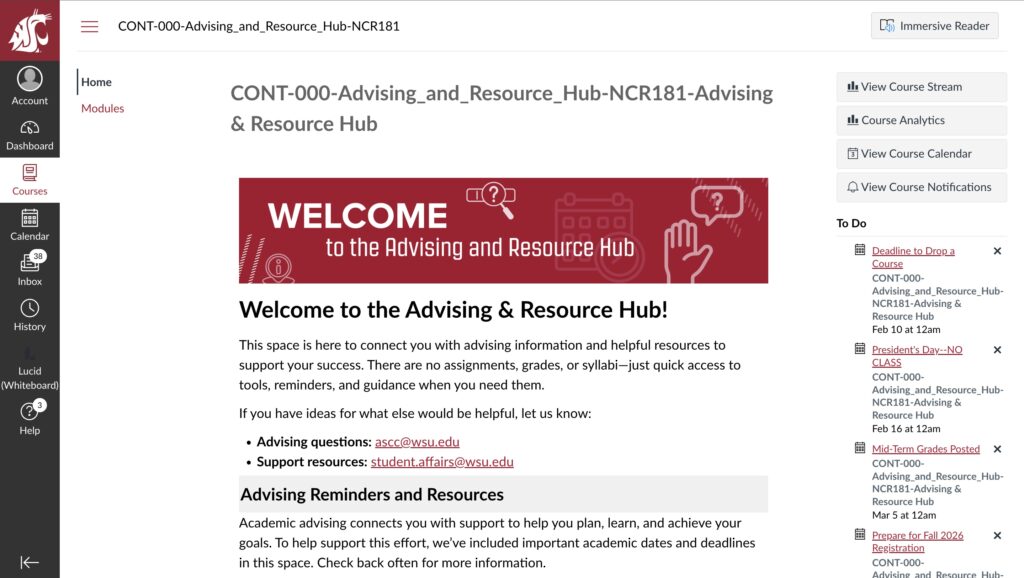
While it’s unclear whether that is related to recent changes, what is clear is that WSUV Advising is making changes. Recently a page for Advising has been added to Canvas for every student.
Advising Director Katrina Choi said that student feedback is showing students get too many emails and want advising to reach students where they are.
“The idea at the system level is maybe we need to create an advising canvas space so that when students are in Canvas for their classes, they might also get reminders about important advising related things,” Choi said.

Adjacent to this addition to Canvas, Advising is making efforts to streamline student-advisor interactions. Advisors now report to “other advisors,” instead of being split across reporting to various department heads or chairs.
The Canvas page says that “this space is here to connect you with advising information and helpful resources to support your success. There are no assignments, grades, or syllabi–just quick access to tools, reminders, and guidance when you need them.”
While minimalist, the page is meant to be “very generic” since it’s available to any student at any campus, no matter what major they are in. Meanwhile, Choi said the minimal nature may also act as a framework for future additions to optimize the Canvas page.
The first major section of the Canvas page is Advising Reminders and Resources, which contains three links to official WSU informational pages, regarding connecting with your advisor, finding your college or departments advising page, and explaining the various holds that can be placed on your myWSU account.
Meanwhile, the Crisis and Support Resources section includes links for those needing mental health support, sexual assault and violence prevention resources, or those who need to report misconduct or discrimination.
Finally there is also a series of video tutorials split into the following sections: Class and Shopping Cart Tutorials, Transcript and Transfer Information, and more.
You may also like
-
Rising Costs and No Sense of Community on Campus. Students Offer Feedback to WSU President Elizabeth Cantwell at Recent Listening Session
-
New Coug Orientation Goes Through a Revolution, As a Result of WSU’s Systemwide Reforms
-
The Silent Voices: A Chance to Tell Their Side
-
“Terrible” and “Complicated.” Students React to Trump’s State of the Union Address
-
Impressions of a WSUV Douglas Fir